
Guides

Surplus Equipment Spec Decoder

Enter any military or government surplus equipment code — NSN numbers, MIL-SPEC designations, Federal Stock Classes — and get a plain-language breakdown of what the item is, its specifications, common civilian uses, and what to check before buying surplus.

App typeGuides
AddedMay 30, 2026
Uses2 uses
Addresssurplus-equipment-spec-decoder.hub2.day
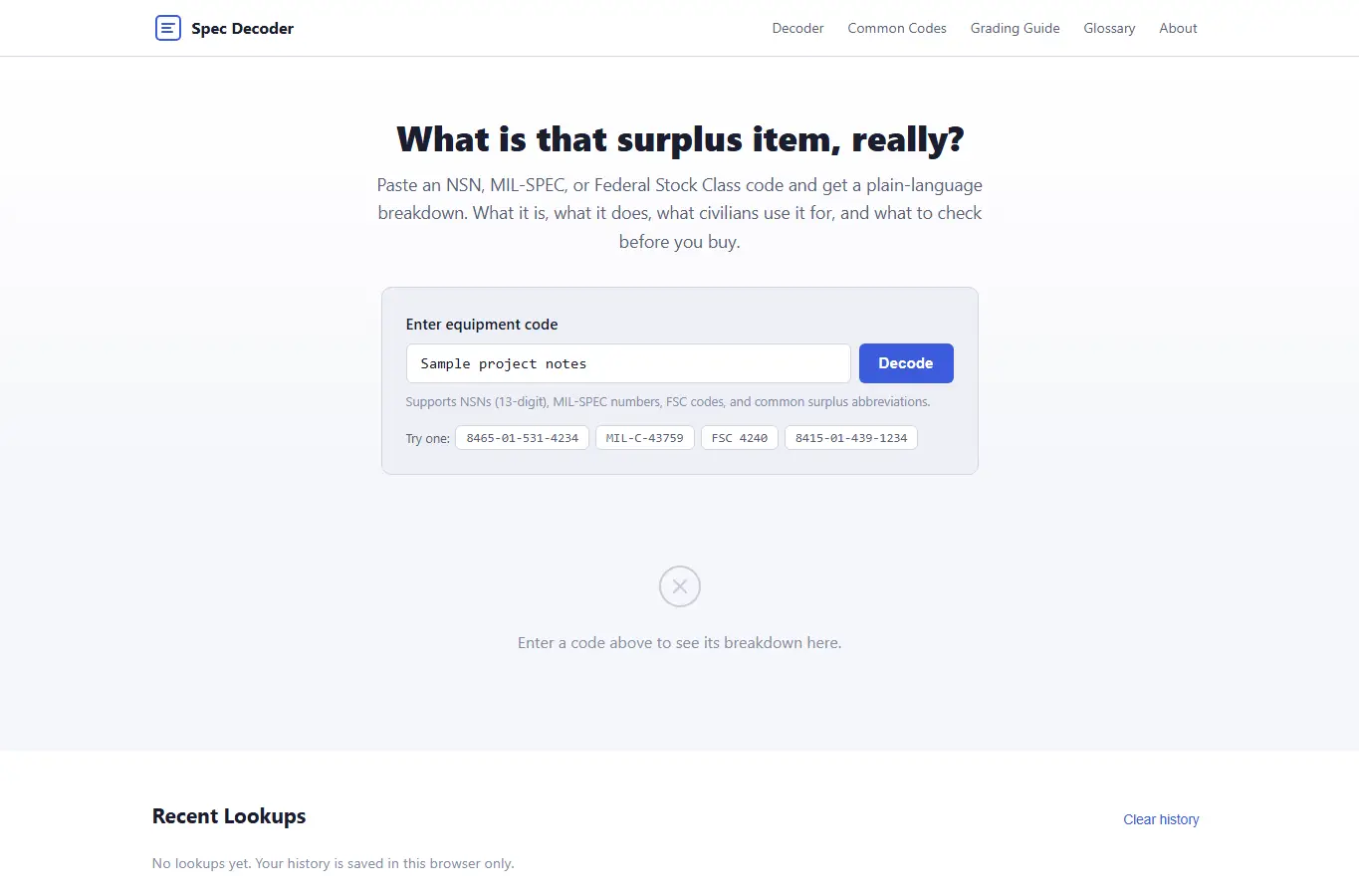
Screenshot of Surplus Equipment Spec Decoder interface showing the project page in use

How it helps

Use it for a focused task

The page opens with a decoder panel where you paste or type any NSN, MIL-SPEC, or FSC code. Results appear in plain language: what the item is, its key specs, what civilians use it for, what to inspect before buying, and any safety notes.

Below the decoder is a browsable table of common surplus codes, a condition grading reference, and a glossary of military supply terms. Everything works offline after load.

Your lookup history stays in your browser. Enter a code in the search box and press Enter or tap Decode.

Good next steps

Make the result easier to act on

  • Start with the examples or presets if you are unsure what to enter for Surplus Equipment Spec Decoder.
  • Try one realistic scenario first, then adjust the numbers or notes to compare another path.
  • Use save or share from the project footer when you want to return to the same helper later.
  • Open a related project below when the result points to a timing, budget, writing, planning, or comparison task.

Topics

Where this fits

Related projects