
Guides

ScriptCheck

A static reference and worksheet to check if a scene's formatting (Character cues, Dialogue, Action) meets basic industry standards.

App typeGuides
AddedMay 11, 2026
Addressscript-format-consistency-auditor.hub2.day
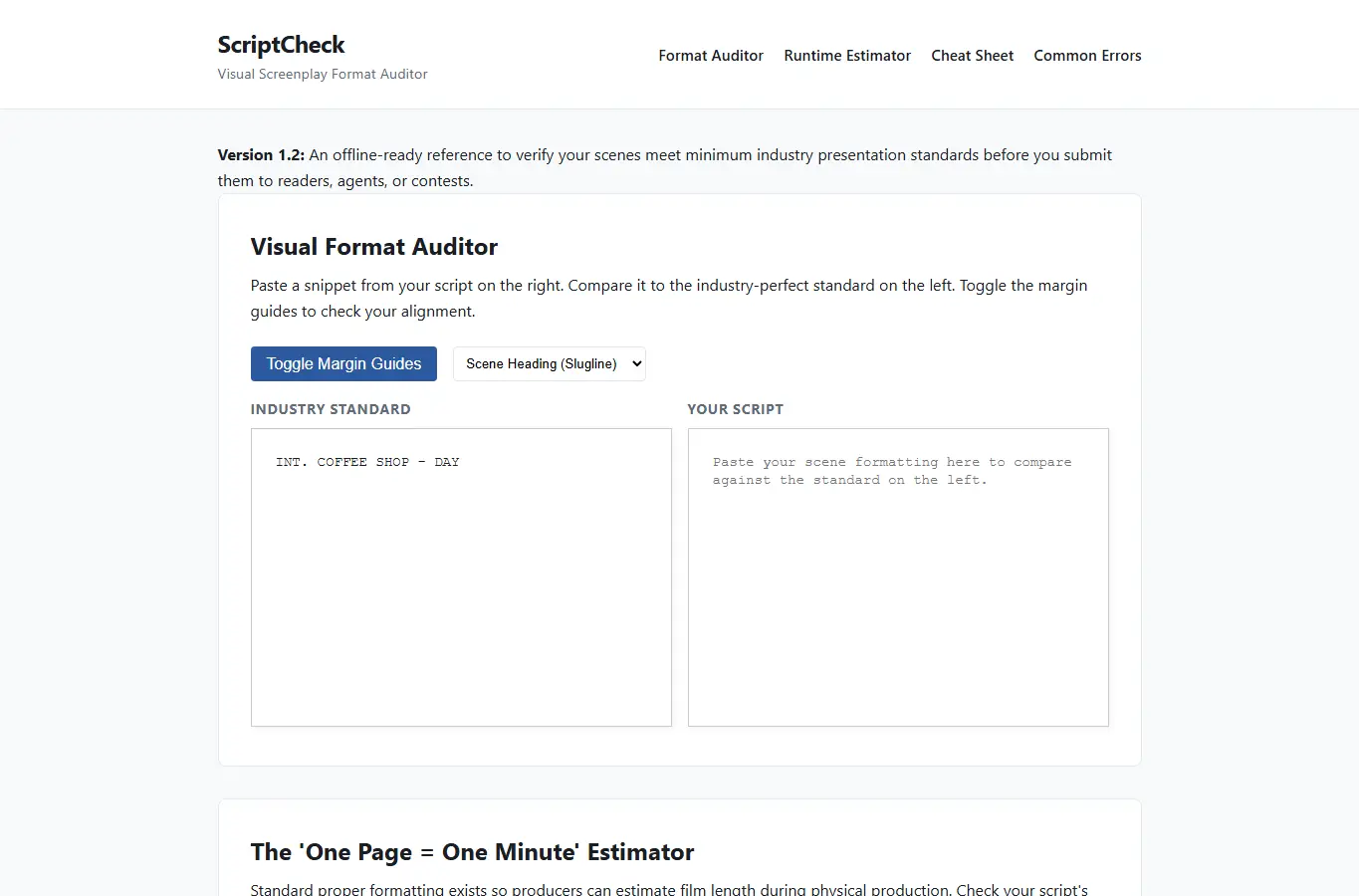
Screenshot of ScriptCheck interface showing the project page in use

How it helps

Use it for a focused task

A reference and worksheet to check scene formatting, character cues, dialogue margins, and action lines against basic industry standards. Paste a snippet of your script into the comparison panel, select the format type (Slugline, Action, Dialogue), and toggle the margin overlays to visually spot differences.

New writers often lose contest points or reader interest due to poor formatting. This provides a free, instant visual check without expensive software.

This is a visual reference tool, not an automatic formatter. Always double-check contest-specific or studio-specific guidelines.

Good next steps

Make the result easier to act on

  • Start with the examples or presets if you are unsure what to enter for ScriptCheck.
  • Try one realistic scenario first, then adjust the numbers or notes to compare another path.
  • Use save or share from the project footer when you want to return to the same helper later.
  • Open a related project below when the result points to a timing, budget, writing, planning, or comparison task.

Topics

Where this fits

Related projects