
Guides

Scam Text Decoder

Paste any suspicious text message or email and get a plain-language breakdown of the manipulation tactics it uses, why each line is designed to pressure you, and what a safe response looks like.

App typeGuides
AddedJun 2, 2026
Uses3 uses
Addressscam-text-decoder.hub2.day
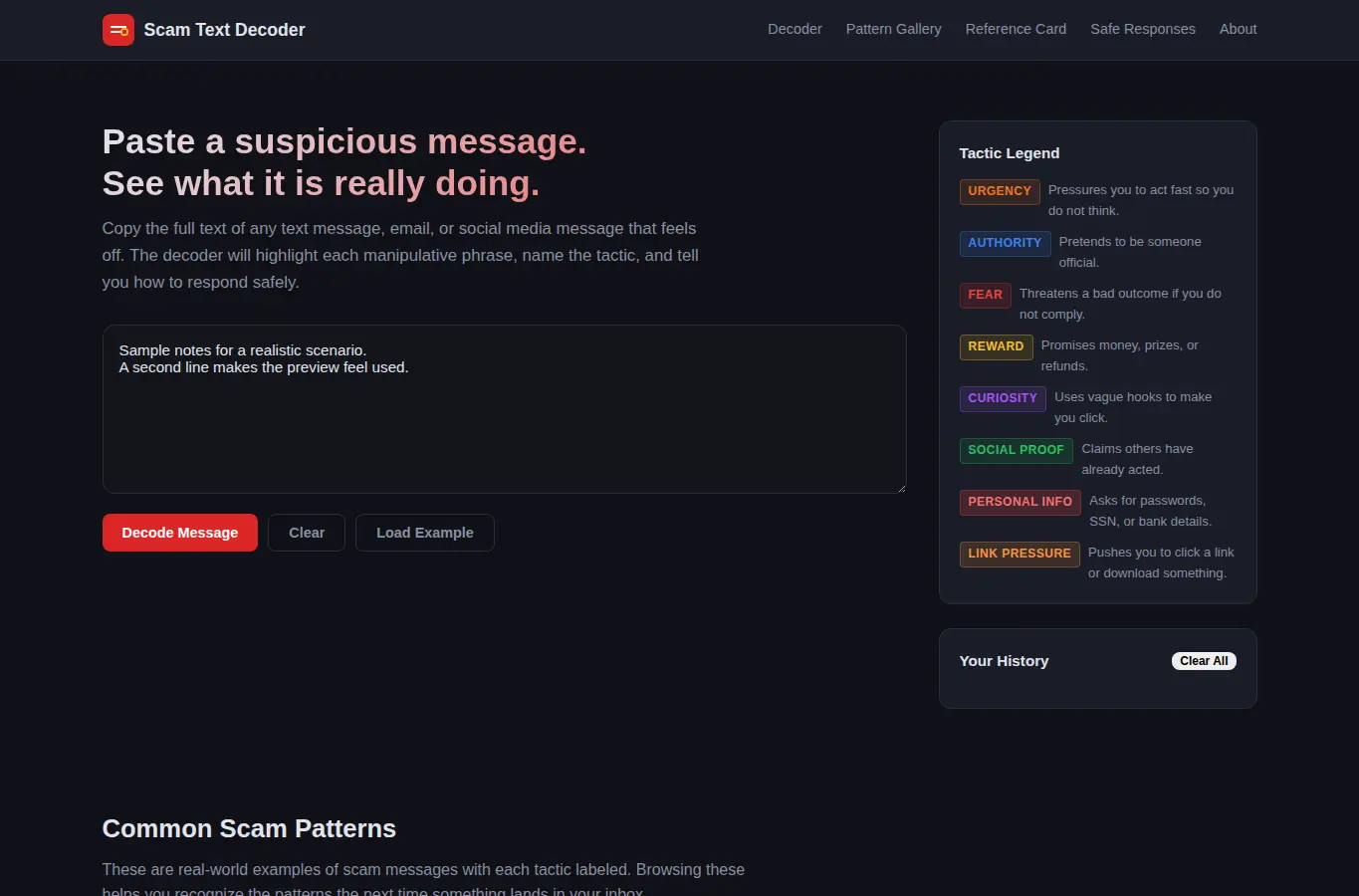
Screenshot of Scam Text Decoder interface showing the project page in use

How it helps

Use it for a focused task

A paste-in, get-results experience. Users drop a suspicious message into the decoder and immediately see each flagged phrase labeled with its manipulation tactic, an overall risk rating, and a suggested safe response.

Below the decoder lives a growing pattern gallery, a printable one-page reference card, safe-response templates for common scam types, and an edge-case section explaining how real messages can look scam-like. Paste the full text of the suspicious message into the input box and click Decode.

The analysis panel highlights each manipulative phrase, names the tactic, and explains what it is designed to do. Use the risk gauge to get a quick sense of danger.

Good next steps

Make the result easier to act on

  • Start with the examples or presets if you are unsure what to enter for Scam Text Decoder.
  • Try one realistic scenario first, then adjust the numbers or notes to compare another path.
  • Use save or share from the project footer when you want to return to the same helper later.
  • Open a related project below when the result points to a timing, budget, writing, planning, or comparison task.

Topics

Where this fits

Related projects