
Guides

Poem Structure Unlocker

Paste any poem and reveal its hidden architecture — meter, rhyme scheme, stanza form, and syllable count — with each line annotated so you finally see why it sounds the way it does.

App typeGuides
AddedJun 29, 2026
Uses5 uses
Addresspoem-structure-unlocker.hub2.day
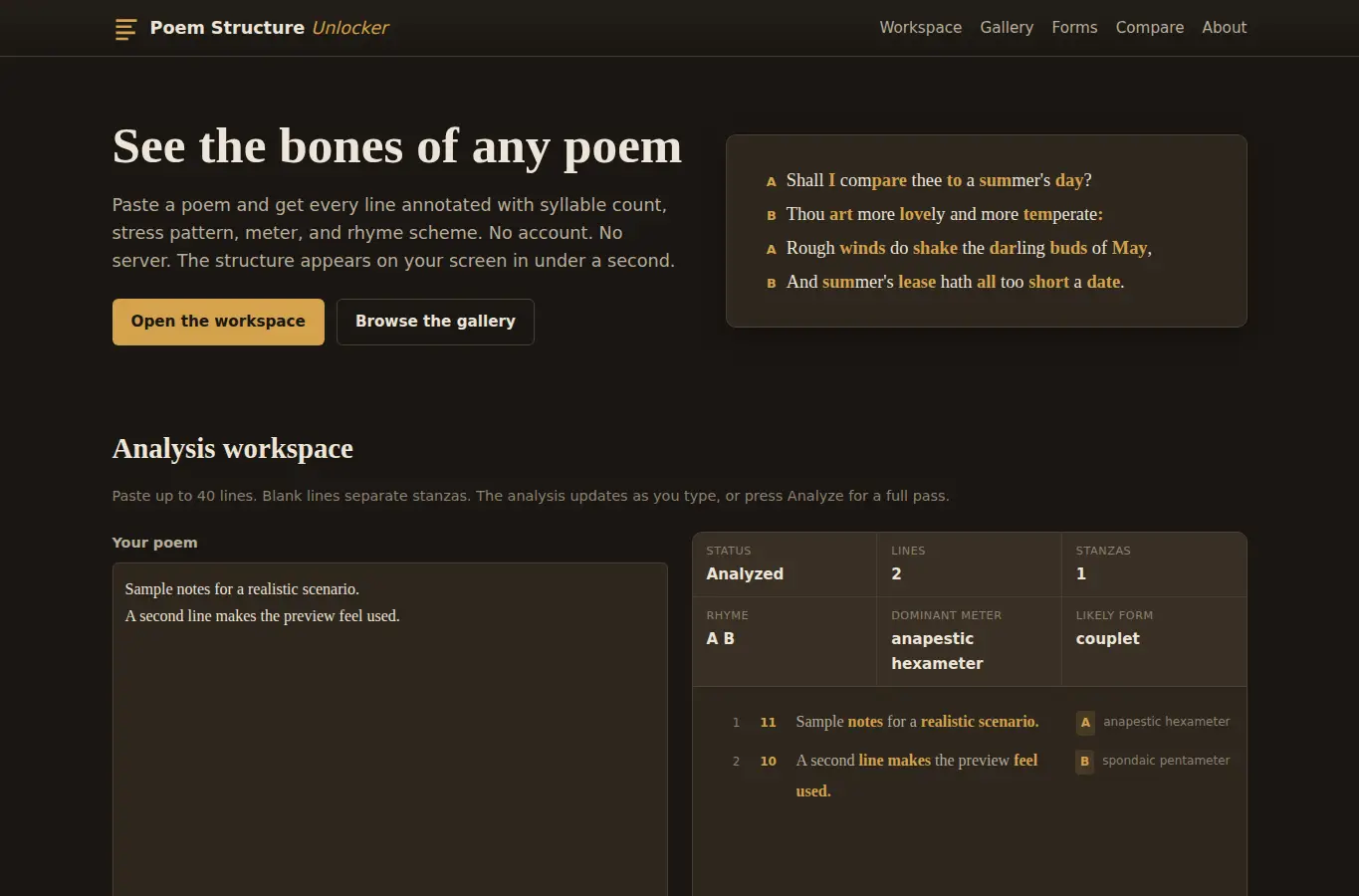
Screenshot of Poem Structure Unlocker interface showing the project page in use

How it helps

Use it for a focused task

The page centers on an interactive analysis workspace where you paste a poem and immediately see each line annotated with syllable count, stress pattern, meter label, and rhyme scheme letter. Below the workspace you find a built-in reference gallery of classic poems, a glossary of stanza forms, and a side-by-side comparison mode for two poems.

Paste or type up to 40 lines of poetry into the input area. Choose whether to detect rhyme and which strictness level to use for meter.

Click Analyze. Each line in the result panel shows its syllable count, a stress map (stressed and unstressed marks), the dominant meter for that line, and a rhyme label.

Good next steps

Make the result easier to act on

  • Start with the examples or presets if you are unsure what to enter for Poem Structure Unlocker.
  • Try one realistic scenario first, then adjust the numbers or notes to compare another path.
  • Use save or share from the project footer when you want to return to the same helper later.
  • Open a related project below when the result points to a timing, budget, writing, planning, or comparison task.

Topics

Where this fits

Related projects