
Planners

LoadLogic: Multi-Stop Moving Truck Loading Planner

A drag-style loading planner where users input truck size, furniture, and items, then see space estimates and multi-stop loading priorities.

App typePlanners
AddedJun 25, 2026
Uses5 uses
Addressmulti-stop-moving-truck-loading-sim.hub2.day
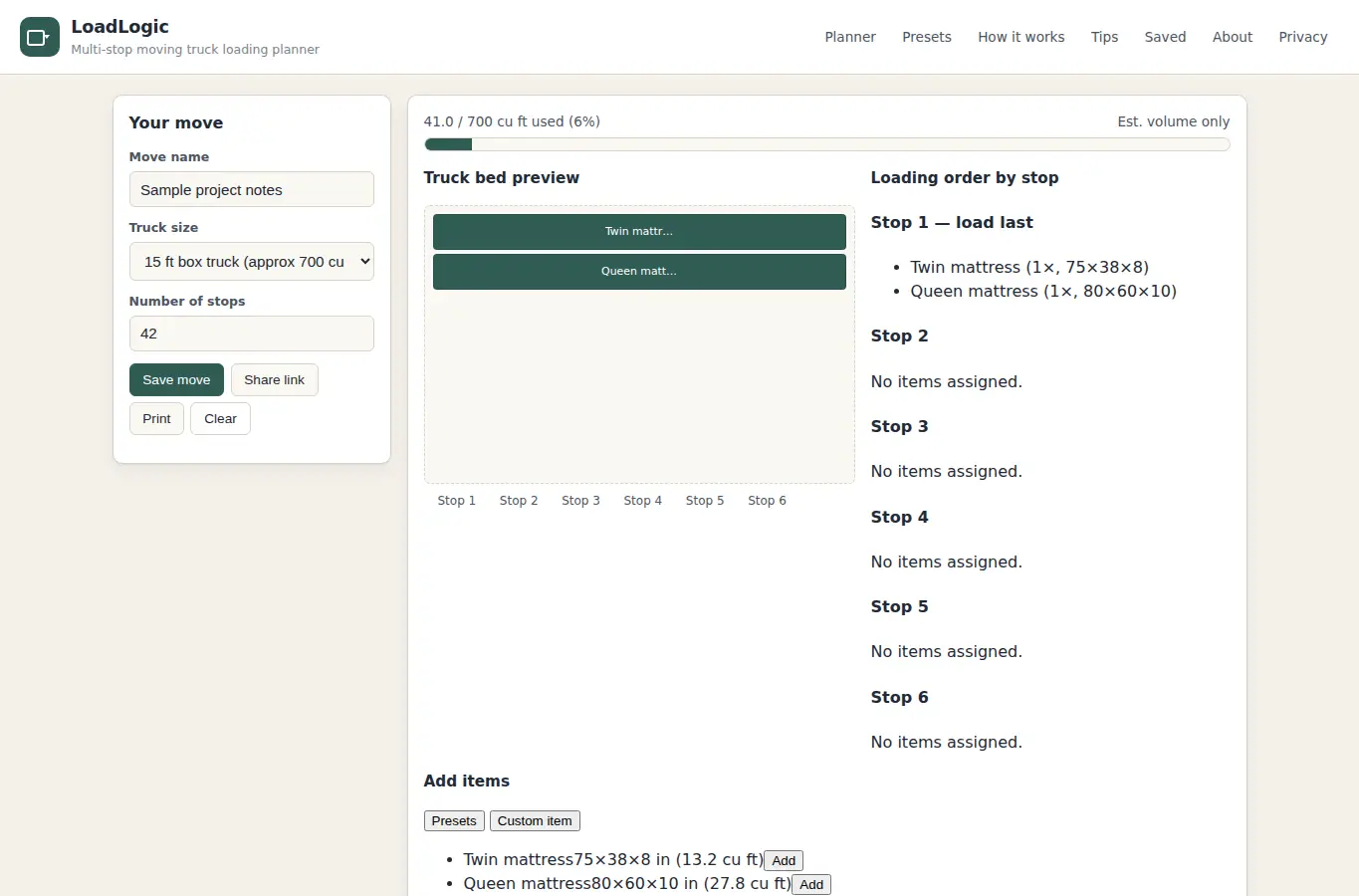
Screenshot of LoadLogic: Multi-Stop Moving Truck Loading Planner interface showing the project page in use

How it helps

Use it for a focused task

A complete loading planner where you name your move, pick a truck size, add items from a preset furniture library or your own entries, assign each item to an unload stop, then see a live capacity estimate, a visual truck bed, and a stop-by-stop loading order. You can save moves in your browser, share a link, or print a loading sheet.

Pick a truck size and name your move on the left. Add items from the preset list or type your own.

Assign each item to a stop number. Watch the truck bed fill and the stop order update.

Good next steps

Make the result easier to act on

  • Start with the examples or presets if you are unsure what to enter for LoadLogic: Multi-Stop Moving Truck Loading Planner.
  • Try one realistic scenario first, then adjust the numbers or notes to compare another path.
  • Use save or share from the project footer when you want to return to the same helper later.
  • Open a related project below when the result points to a timing, budget, writing, planning, or comparison task.

Topics

Where this fits

Related projects